

Brand: Logitech
LOGITECH CRAYON STYLUS PEN FOR IPAD
LOGITECH CRAYON STYLUS PEN FOR IPAD
SKU:914-000034
Couldn't load pickup availability
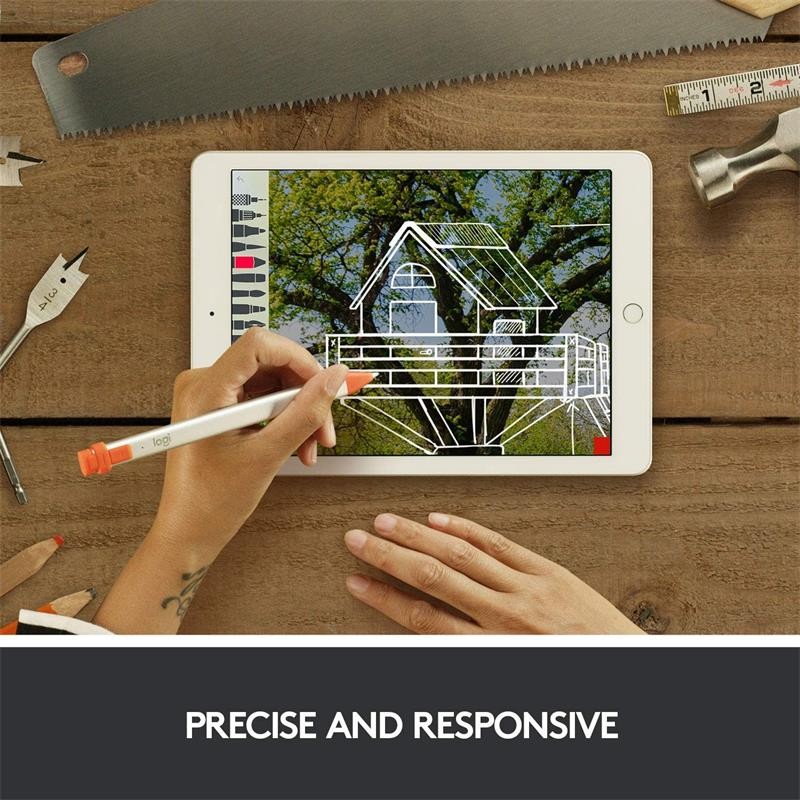
Logitech Crayon is a versatile, pixel-precise digital pencil for iPad (6th generation) that lets you unleash your creativity. Whether you want to mark up PDFs, take notes, or sketch masterpieces, Logitech Crayon works with Apple Pencil compatible apps. And there are hundreds of them available right now, so you can start learning, collaborating, and creating on your iPad whenever you want.
Description
Logitech Crayon is a versatile, pixel-precise digital pencil for iPad (6th generation) that lets you unleash your creativity. Whether you want to mark up PDFs, take notes, or sketch masterpieces, Logitech Crayon works with Apple Pencil compatible apps. And there are hundreds of them available right now, so you can start learning, collaborating, and creating on your iPad whenever you want.
Logitech Crayon brings dynamic new ways to interact with the iPad using Apple Pencil compatible apps. You can use it when taking notes in Notability, when drawing in Tayasui Sketches, or even if you're learning to write with Writing Wizard: Logitech Crayon makes all kinds of tasks easier and more fun.
Logitech Crayon adds an exciting new dimension to how you interact with your iPad. You can easily annotate PDFs, manage your accounting in Excel, or even add hand-traced images to your documents with a simple stroke. There are already hundreds of Apple Pencil compatible apps you can try, with more being added every day.
Don't settle for just enough, take your projects to the next level. Logitech Crayon makes it easy to create engaging and impactful documents, with your personal touch, in Pages, Keynote, Adobe® Lightroom CC, and other productivity apps.
Remember how easily you expressed yourself as a child? Now you can do it again. Logitech Crayon allows you to bring your creativity to any project or task, whether you're young or young at heart.
Features:
Uses Apple Pencil technology. The Apple Pencil technology on which Logitech Crayon is based guarantees the best digital pen experience currently available. And what's more, Logitech Crayon has been specifically designed for iPad (6th generation), so you have instant access to hundreds of Apple Pencil compatible apps – the only limit is your imagination.
No delays. Can you use a pen? Then you know how to use Logitech Crayon. It offers pixel-perfect precision with no noticeable lag, so you can write and draw naturally without fear of missing a single line or detail.
Palm rejection technology. Rest your palm comfortably on the screen while you write: iPad applies a rejection function, to allow a natural posture when using Logitech Crayon. Simply focus on the task at hand, without worrying about your hands.
Always the perfect line. Need a thicker or thinner line? Just tilt the pen. Logitech Crayon has a smart tip that dynamically adjusts line thickness according to the angle* of placement, just like a regular pencil.
Turn it on and draw. Simply press the power button and start writing or drawing on your iPad immediately, it's that easy. Logitech Crayon connects to your iPad instantly, no complicated device pairing or other delays needed.
Stable shape. The unique design of Logitech Crayon is not just about appearances. The flat shape is designed to stay where you leave it and prevent it from rolling off the table onto the floor or getting lost under a shelf.
Long-lasting batteries. Logitech Crayon provides up to 7 hours of writing on a single charge and automatically turns off after 30 minutes of inactivity to save battery life. If you notice the level is low, don't panic: 2 minutes of charging will give you 30 minutes of writing.
Suitable for any hand. Large, small, children's, adults': Logitech Crayon has been designed with lightweight and durable materials, for hands of all shapes and sizes. Left-handed users included!
Design for active lives. You can carry it in your bag, backpack, pocket... Logitech Crayon is protected against drops from 1.22 m and has a securely attached cap.
Technical Specifications
| : | |
| Compatible devices | |
| Any iPad device (from 2018 onwards) | |
| 12.9-inch iPad Pro (3rd generation) Model numbers | A1876, A2014, A1895, A1983 |
| 11-inch iPad Pro Model numbers | A1980, A2013, A1934, A1979 |
| iPad (7th generation) | |
| iPad (6th generation) Model numbers | A1893, A1954 |
| iPad Air (3rd generation) Model numbers | A2152, A2123, A2153, A2154 |
| iPad mini (5th generation) Model numbers | A2133, A2124, A2126, A2125 |
| *All iPad models must be updated to iOS 12.2 and later | |
| Dimensions | |
| Height | 163 mm |
| Width | 12 mm |
| Depth | 8 mm |
| Weight | 20 g |
| Specifications | |
| Protection | |
| Drops from 1.2 m | |
| Power and connections | |
| Lithium battery | |
| Up to 7 hours of writing | |
| Automatically turns off after 30 minutes of inactivity to conserve battery | |
| The on/off button must be pressed for 1 second | |
| Battery charge indicator | brief press on the on/off button |
| Green light with battery > 10% | |
| Red light with battery < 10% | |
| LED flashes red with battery < 5% | |
| Charges via iPad Lightning cable | |
| Charging port covered by a replaceable retaining cap | |
| Tip | |
| Replaceable (sold separately) | |
| Tilt sensitivity for dynamic line thickness | |
| Palm rejection technology ignores accidental touches | |
| Materials | |
| Tube | aluminum |
| Stop | silicone rubber |
| Cover | PC + ABS |
| Box contents | |
| Logitech Crayon | |
| Documentation | |
Share